TL;DR
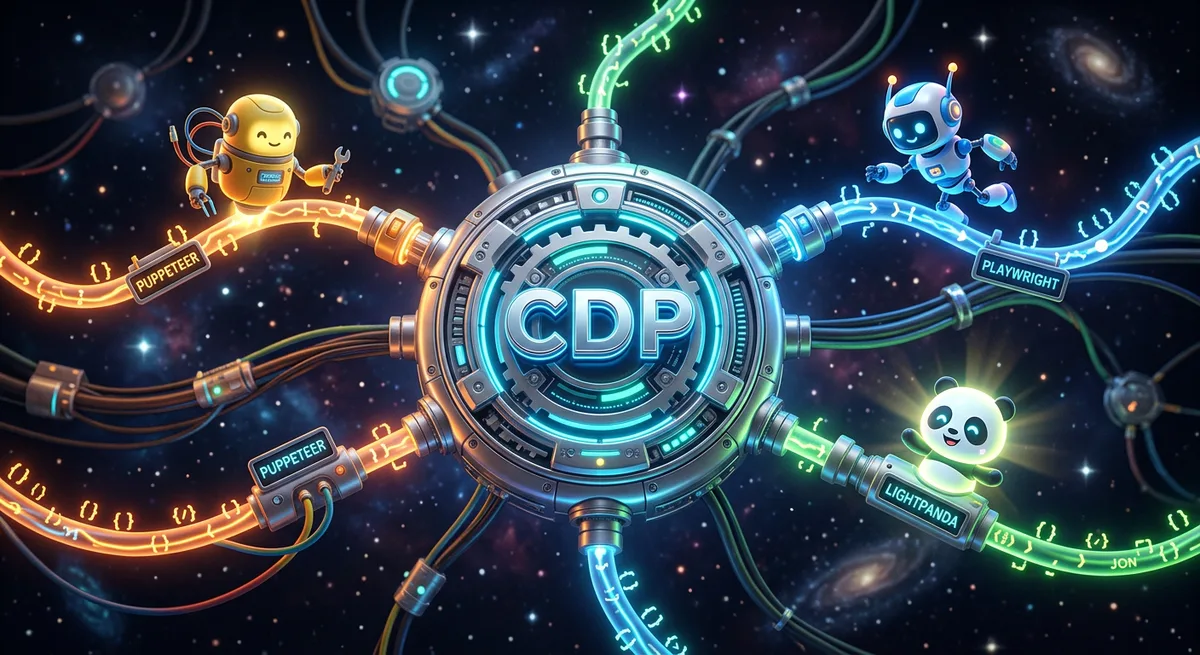
The Chrome DevTools Protocol (CDP) is the communication protocol that allows any program to remotely control a Chrome browser via WebSocket. Puppeteer, Playwright, Selenium 4, and Lightpanda are all abstractions built on top of CDP. Understanding the protocol directly gives you access to capabilities that abstractions hide — request interception, response modification, real-time performance monitoring, hidden API extraction. For solopreneurs, this means a category of automation products that few developers know how to build.
Every browser automation tool you know shares a common secret.
Puppeteer talks to Chrome. Playwright talks to Chrome. Lightpanda implements Chrome compatibility. Selenium 4, chromedp, Pyppeteer — they all talk to Chrome.
And when they talk to Chrome, they all use the same channel: the Chrome DevTools Protocol.
CDP is the low-level protocol that allows any program to send commands to a browser and receive events from it. It’s a WebSocket interface with hundreds of APIs organized into functional domains. It’s what makes it possible, via code, to tell Chrome: “open this URL”, “intercept this request”, “execute this JavaScript”, “take a screenshot of this region”.
Puppeteer and Playwright exist because CDP is powerful but verbose. They are high-level APIs built on top of the protocol. But when you use these abstractions, you trade power for convenience.
Those who use Puppeteer control a browser. Those who understand CDP control the protocol. The difference is what you can build with it.
This guide shows you what you lose in that trade — and how to get that power back.
What Is the Chrome DevTools Protocol
The Chrome DevTools Protocol is Chrome’s official API for remote browser inspection and control.
It didn’t start as an automation tool. It started as a debugging tool.
The Origin: A Debug Tool That Became an Automation Protocol
CDP was created so Chrome’s developer tools (DevTools — the panel you open with F12) could communicate with the browser process. When you open DevTools and inspect an element, you’re consuming CDP. When you monitor requests in the Network tab, you’re consuming CDP. When you profile performance in the Performance tab, you’re consuming CDP.
At some point, the Chrome team realized that if DevTools could do this via protocol, any program could do the same.
CDP was opened for external use. And the browser automation ecosystem as we know it today was born.
How Chrome Exposes CDP
When you start Chrome with the --remote-debugging-port=9222 flag, it starts accepting WebSocket connections on that port.
google-chrome --headless --remote-debugging-port=9222 --no-sandbox
From that point, any WebSocket client can connect to ws://localhost:9222 and start sending JSON commands to the browser.
It’s that simple. CDP is a WebSocket API with JSON messages. No binaries. No proprietary formats. All you need is a WebSocket connection and knowledge of which messages to send.
How CDP Works Internally
WebSocket as Communication Channel
CDP uses WebSocket because it’s bidirectional. The client (your program) sends commands to the browser. The browser executes and responds. But the browser can also send events spontaneously — when a tab navigates, when a request starts, when a DOM element changes.
This bidirectionality is fundamental. It’s not a simple request/response model. It’s a continuous communication channel where both sides can initiate messages.
CDP Domains: Each Domain Controls an Area
CDP is organized into domains. Each domain controls a specific functional area of the browser:
| Domain | What It Controls |
|---|---|
Page | Navigation, screenshots, PDFs |
Network | Requests, responses, cookies, cache |
Runtime | JavaScript execution |
DOM | DOM inspection and manipulation |
Performance | Real-time performance metrics |
Emulation | Device emulation, geolocation, timezone |
Security | Certificates, security states |
Browser | Browser process control |
Target | Tab and context management |
Debugger | Breakpoints, code step-through |
CSS | Computed styles, applied rules |
Fetch | Request interception and modification |
This is not a partial list — there are over 40 domains. Each with dozens of commands and events.
When you call page.goto(url) in Puppeteer, underneath it sends a Page.navigate command via CDP. When you call page.screenshot(), it’s Page.captureScreenshot. When you call page.evaluate(fn), it’s Runtime.evaluate.
Command and Event Structure
Every CDP message is a simple JSON object.
Command (client → browser):
{
  "id": 1,
  "method": "Page.navigate",
  "params": {
    "url": "https://example.com"
  }
}
Response (browser → client):
{
  "id": 1,
  "result": {
    "frameId": "ABCD1234",
    "loaderId": "EFGH5678"
  }
}
Event (browser → client, unsolicited):
{
  "method": "Network.requestWillBeSent",
  "params": {
    "requestId": "12345",
    "request": {
      "url": "https://api.example.com/data",
      "method": "GET"
    }
  }
}
The id field correlates commands with responses. Events have no id — they arrive when the browser decides to emit them.
CDP vs Puppeteer vs Playwright: Understanding the Layers
When you write automation code, you’re operating at one of three layers:
| Layer | Example | Abstraction Level | Access Power |
|---|---|---|---|
| Raw CDP | ws.send(JSON.stringify({method: "Page.navigate", ...})) | Low | Maximum |
| Puppeteer | page.goto(url) | Medium | High |
| Playwright | page.goto(url) | Medium-high | High |
| Selenium | driver.get(url) | High | Medium |
Puppeteer and Playwright are excellent libraries. They handle 95% of use cases. But they make decisions for you — and sometimes those decisions limit you.
What Puppeteer Hides From You
1. Raw network event access
Puppeteer allows request interception via page.on('request'), but with limitations. CDP gives full access to the Network and Fetch domains, including header modification, complete response substitution, and response body capture that Puppeteer doesn’t expose by default.
2. Parallel CDP sessions
CDP supports multiple independent sessions on the same tab (via Target.attachToTarget). Puppeteer doesn’t expose this directly. Useful for advanced debugging and parallel monitoring scenarios.
3. Performance domain access
CDP has a complete Performance domain with metrics like ScriptDuration, LayoutDuration, TaskDuration. Puppeteer only exposes page.metrics() — a limited version.
4. Cache and storage control
Via CDP you can selectively clear cache, IndexedDB, localStorage by origin. Useful for clean-state testing without restarting the entire browser.
5. Screenshot streaming
CDP supports Page.startScreencast — continuous streaming of browser frames as images. Perfect for recording sessions or creating live previews. Puppeteer doesn’t expose this.
When Direct CDP Makes Sense
Use raw CDP when:
- You need features that Puppeteer/Playwright don’t expose
- You’re building your own automation library
- You need granular control over the protocol (e.g., parallel sessions)
- You’re optimizing performance and every message matters
- You’re implementing CDP compatibility in another browser (like Lightpanda does)
Use Puppeteer/Playwright when:
- You need standard automation (navigation, forms, screenshots)
- You want cross-browser support (Playwright supports Firefox and WebKit)
- You have deadlines and need productivity
The most common pattern in practice: use Puppeteer as the base but access CDP directly for specific features.
Using CDP Directly: First Steps
Connecting to Chrome via WebSocket
With Chrome running in debug mode:
google-chrome \
  --headless \
  --remote-debugging-port=9222 \
  --no-sandbox \
  --disable-gpu
Now query available tabs:
curl http://localhost:9222/json
Response:
[{
  "id": "ABCD1234",
  "type": "page",
  "url": "about:blank",
  "webSocketDebuggerUrl": "ws://localhost:9222/devtools/page/ABCD1234"
}]
The webSocketDebuggerUrl field is the endpoint you use to control that tab.
Example 1: Raw CDP with Node.js
No automation library. Just WebSocket:
const WebSocket = require('ws');
const http = require('http');

async function getCDPUrl() {
  return new Promise((resolve) => {
    http.get('http://localhost:9222/json', (res) => {
      let data = '';
      res.on('data', chunk => data += chunk);
      res.on('end', () => {
        const tabs = JSON.parse(data);
        resolve(tabs[0].webSocketDebuggerUrl);
      });
    });
  });
}

async function main() {
  const wsUrl = await getCDPUrl();
  const ws = new WebSocket(wsUrl);
  let messageId = 0;

  const send = (method, params = {}) => {
    const id = ++messageId;
    ws.send(JSON.stringify({ id, method, params }));
    return id;
  };

  ws.on('open', () => {
    send('Network.enable');
    send('Page.navigate', { url: 'https://example.com' });
  });

  ws.on('message', (data) => {
    const msg = JSON.parse(data);
    console.log(JSON.stringify(msg, null, 2));
  });
}

main();
You’ll see in the console all events — network requests, navigation, page loading — in real time. This is CDP in its purest form.
Example 2: Accessing CDP via Puppeteer
In practice, the most useful flow is using Puppeteer for heavy lifting and accessing CDP directly when you need something specific.
Puppeteer exposes the CDPSession object for this:
const puppeteer = require('puppeteer');

(async () => {
  const browser = await puppeteer.launch({ headless: true });
  const page = await browser.newPage();

  // Create a direct CDP session for this tab
  const client = await page.createCDPSession();

  await client.send('Network.enable');

  // Direct CDP event: capture ALL requests
  client.on('Network.requestWillBeSent', (event) => {
    console.log(`[REQUEST] ${event.request.method} ${event.request.url}`);
  });

  // Direct CDP event: capture ALL responses
  client.on('Network.responseReceived', (event) => {
    console.log(`[RESPONSE] ${event.response.status} ${event.response.url}`);
  });

  await page.goto('https://example.com', { waitUntil: 'networkidle2' });

  await browser.close();
})();
Example 3: Intercepting and Modifying Requests
The CDP Fetch domain lets you intercept requests before they’re sent and modify them — or even substitute the response entirely:
const puppeteer = require('puppeteer');

(async () => {
  const browser = await puppeteer.launch({ headless: true });
  const page = await browser.newPage();
  const client = await page.createCDPSession();

  await client.send('Fetch.enable', {
    patterns: [{ urlPattern: '*', requestStage: 'Request' }]
  });

  client.on('Fetch.requestPaused', async (event) => {
    const { requestId, request } = event;

    // Block analytics requests
    if (request.url.includes('google-analytics') ||
        request.url.includes('googletagmanager')) {
      await client.send('Fetch.failRequest', {
        requestId,
        errorReason: 'BlockedByClient'
      });
      return;
    }

    await client.send('Fetch.continueRequest', { requestId });
  });

  await page.goto('https://example.com', { waitUntil: 'networkidle2' });

  await browser.close();
})();
Example 4: Extracting Hidden APIs via Network Domain
Many modern sites load data via XHR/Fetch APIs that don’t appear in the HTML. With CDP, you capture the responses directly:
const puppeteer = require('puppeteer');

(async () => {
  const browser = await puppeteer.launch({ headless: true });
  const page = await browser.newPage();
  const client = await page.createCDPSession();

  await client.send('Network.enable');

  const apiResponses = [];

  client.on('Network.responseReceived', async (event) => {
    const { requestId, response } = event;

    if (response.mimeType === 'application/json') {
      try {
        const result = await client.send('Network.getResponseBody', { requestId });
        const body = JSON.parse(result.body);
        apiResponses.push({ url: response.url, data: body });
      } catch (e) {
        // Some responses expire before capture
      }
    }
  });

  await page.goto('https://example.com', { waitUntil: 'networkidle2' });

  console.log(`APIs captured: ${apiResponses.length}`);
  console.log(JSON.stringify(apiResponses, null, 2));

  await browser.close();
})();
Result: you capture the JSON data that the site receives from its internal APIs — before any JavaScript processing. For SPA scraping (React, Angular, Vue), this is often cleaner and more stable than trying to extract data from the rendered DOM.
Advanced Automations That Only CDP Enables
Capture competitor network traffic — navigate to the site and capture all API endpoints it uses. Discover which CDNs it depends on, which analytics it uses, which third-party services it consumes.
Precise screenshot control — capture specific regions with retina quality, control viewport exactly, generate PDFs with custom paper sizes.
Device and network emulation — emulate any mobile device, simulate slow network conditions (3G, 2G), test geographic variations with custom geolocation.
Script injection before page load — inject code that runs before any page JavaScript, overriding native APIs like fetch, XMLHttpRequest, or WebSocket for testing and monitoring.
Screenshot streaming (screencast) — continuous streaming of browser frames via Page.startScreencast. Build live browser previews, record user sessions, create product demos.
Product Opportunities for Solopreneurs
CDP isn’t just technique. It’s competitive advantage. Those who master the protocol can build products most developers don’t know how to create.
Screenshot / PDF API as a Service
The product: API that receives a URL and returns a rendered screenshot or PDF.
Why it works: dozens of SaaS tools use this — reports, link thumbnails, document previews. But most are expensive ($49+/month for small volumes).
Your advantage: you build with CDP + Lightpanda, operating with 9x lower infrastructure cost than competitors using Chrome. Charge less and keep more margin.
Monetization: $0.001 per screenshot. At 1M screenshots/month = $1,000/month revenue.
Site Performance Monitor
The product: service that monitors site performance and sends alerts when metrics degrade.
Why there’s demand: performance is directly tied to conversion. An LCP drop from 2s to 4s can reduce conversions by 25%. Companies pay to know this before their users do.
CDP gives you: metrics via Performance.getMetrics more granular than what external tools get via Lighthouse alone.
Monetization: $29-99/month per monitored site.
SPA Data Extractor
The product: scraping service that handles SPAs (React, Angular, Vue) — where simple HTML scrapers fail.
Your advantage with CDP: direct capture of API responses via Network.getResponseBody — before any JavaScript processing. Cleaner, faster, and more reliable than waiting for the DOM to render.
Monetization: per request or monthly subscription. E.g., $49/month for 10,000 scraped pages.
Third-Party Vendor Audit
The product: automated analysis of which third-party scripts a site loads, how much each one slows performance, and what privacy risk it represents.
CDP gives you: complete network traffic capture via Network.enable, load time of each script, external domains accessed.
Monetization: one-time report ($99-299) or continuous monitoring ($49-99/month).
Visual Regression Testing as a Service
The product: automatic screenshot comparison between site versions to detect unintended visual regressions.
CDP gives you: pixel-perfect screenshots with full control over viewport, DPR, and network conditions.
Monetization: CI/CD integration, $29-99/month per project.
Real Tools Built on CDP
| Tool | What It Does | How It Uses CDP |
|---|---|---|
| Puppeteer | Node.js automation library | Full CDP, maintained by Google |
| Playwright | Multi-browser automation | CDP for Chrome/Edge, own protocols for Firefox/WebKit |
| Lighthouse | Performance and SEO auditing | CDP via headless Chrome |
| Selenium 4 | Testing framework | Added CDP support in 2020 |
| Lightpanda | Efficient headless browser | Implements CDP as communication protocol |
| Browserless | Browser-as-a-service | REST API over CDP |
| chromedp | CDP for Go | Direct protocol implementation in Go |
| pyppeteer | Puppeteer for Python | CDP via Python |
Each of these tools is a product built on the protocol. CDP is the foundation, not the ceiling.
CDP and Lightpanda: The Future of Efficient Automation
The reason Lightpanda works with Puppeteer and Playwright is exactly CDP. Lightpanda implements the Chrome DevTools Protocol as its communication interface. This means any code that works with Chrome via CDP can work with Lightpanda — often without any modification.
From a protocol standpoint, the browser is interchangeable. What matters is who speaks the same language: CDP.
This has practical implications for product builders:
- Prototype with Chrome (more stable, more features)
- Scale with Lightpanda (cheaper due to lower memory footprint)
- Using exactly the same code
For a solopreneur with limited infrastructure, this is a significant advantage. Combining n8n for orchestration with CDP via Lightpanda for browser automation creates a professional automation stack at minimal cost.
Conclusion
The Chrome DevTools Protocol is the invisible infrastructure that drives all modern browser automation.
Puppeteer, Playwright, Lightpanda, Selenium 4 — all are abstractions built on a single WebSocket/JSON protocol. When you understand the protocol directly, you go from being a tool user to a tool builder.
What CDP offers that abstractions hide:
- Interception and modification of any request/response
- Hidden API capture from SPAs
- Granular performance metrics
- Screenshot streaming
- Precise control over the browser process
For solopreneurs, CDP opens a category of automation products that few developers know how to build. The protocol has existed for over a decade. The documentation is public. The libraries are free. The barrier to entry is low for those with technical inclination.
But the market for CDP-based tools still has plenty of space. That’s an opportunity.
Evolution: If you want to go beyond manual automation and put CDP into autonomous agents, check out: Chrome DevTools MCP: How AI Agents Control the Browser
Frequently Asked Questions
Does CDP only work with Chrome? CDP was created by Google for Chrome/Chromium. Microsoft Edge also supports it (it’s Chromium-based). Firefox has its own protocol (Remote Debugging Protocol), and Playwright abstracts both. Lightpanda implements CDP for compatibility with the Chromium ecosystem.
Do I need complex code to use CDP directly?
No. CDP is JSON over WebSocket — any language that supports WebSocket can use it. For Node.js, the ws library is sufficient. For Python, websockets. For Go, the chromedp package offers high-level CDP access.
CDP vs DevTools: are they the same thing? DevTools (Chrome’s F12 panel) is an application that consumes CDP. CDP is the protocol. When you inspect an element in DevTools, DevTools is sending CDP commands to the browser. You can do the same via code.
Is using CDP directly faster than Puppeteer? It depends. Raw CDP eliminates the abstraction layer, so in theory it has less overhead. But Puppeteer is already efficient. The relevant performance difference isn’t between raw CDP and Puppeteer — it’s between using Chrome and using a lighter browser like Lightpanda.
How do I know what CDP commands exist? The official protocol documentation is at chromedevtools.github.io/devtools-protocol. All domains, commands, events, and parameters are documented. It’s long, but well organized.
Is CDP stable enough for production? Yes. CDP is in production in tools used by millions of people (Puppeteer, Playwright, Lighthouse). The stable protocol layer rarely changes. There’s a distinction between stable and experimental domains in the official documentation.
Can I use CDP with Python?
Yes. The pyppeteer library is a Python port of Puppeteer and uses CDP underneath. There’s also playwright for Python, which is well-maintained. For more direct CDP access, websockets + the Chrome API works.