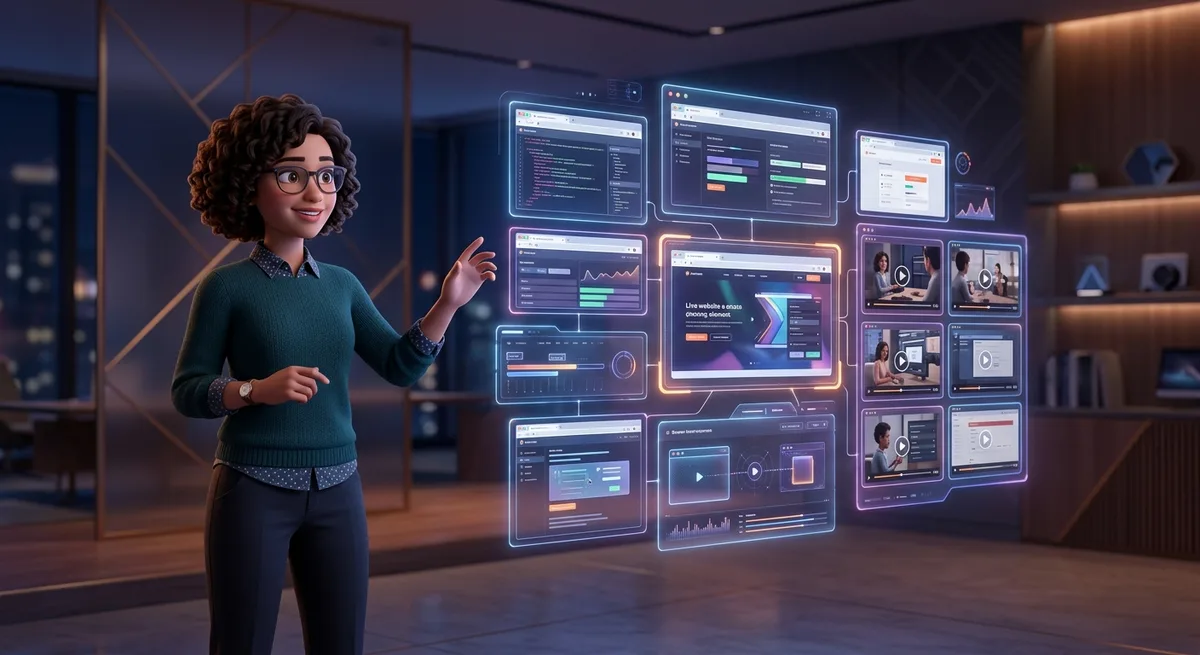
TL;DR: Playwright 1.59 adds Screencast API, video receipts, browser.bind(), and observability dashboard. This isn’t a test update—it’s the missing infrastructure for AI agents to become auditable, observable systems in production. For solo builders, it means automation you can audit, maintain, and prove visually to clients.
If you build automations, bots, or use AI agents that interact with browsers, you know the problem: when something breaks, you have no idea what happened. Logs show “clicked here”, “error there”, but you can’t see what the agent actually did. It’s a black box.
Playwright 1.59 changes this. It’s not a test update. It’s the infrastructure that turns AI agents into auditable, observable systems in production.
The Problem Nobody Talks About
AI agents using browsers are everywhere: scraping, workflow automation, interface verification, self-healing tests. The problem isn’t making the agent work—it’s knowing what it did when something goes wrong.
You’ve probably experienced this:
- Agent completed a task, said it succeeded, but the system broke in production
- Need to debug what the agent did, but all you have is text logs
- Client asks “how do you know it worked?” and you have no proof
- Agent ran overnight, failed, and you only found out in the morning
Note: This happens because most automation tools treat “observability” as a synonym for “logs”. But logs don’t show visual behavior. They don’t show what the user would see. They don’t work as evidence.
What Changes with Playwright 1.59
The release brings six capabilities that, together, create a new paradigm of operational trust for AI agents.
Screencast API: Complete Programmatic Recording
Playwright now lets you record navigation programmatically with full control:
await page.screencast.start({ path: 'video.webm' });
// ... agent actions ...
await page.screencast.stop();
But this isn’t just recording video. It’s a complete system with:
- Action annotations: automatic highlighting of elements the agent interacted with, with configurable position
- Chapters: titles and descriptions at specific points in the recording (“Verifying checkout”, “Applying coupon”)
- HTML overlays: ability to overlay custom visual elements
- Frame streaming: real-time frame capture for processing by vision models
What is it for in practice? Immediate visual debugging. Automatic behavior documentation. Execution proof for clients. Automatic demo and walkthrough generation.
Imagine: your agent finishes a task and generates a 30-second video showing exactly what it did, with visual annotations at the important points. You review it in 30 seconds instead of scanning logs for an hour.
Video Receipts: Visual Proof of Work
The “video receipt” concept is simple but powerful: agents generate videos proving what they did.
The documentation example shows an agent verifying a checkout flow:
await page.screencast.start({ path: 'receipt.webm' });
await page.screencast.showActions({ position: 'top-right' });
await page.screencast.showChapter('Verifying checkout flow', {
  description: 'Added coupon code support per ticket #1234',
});

// Agent executes verification
await page.locator('#coupon').fill('SAVE20');
await page.locator('#apply-coupon').click();
await expect(page.locator('.discount')).toContainText('20%');

await page.screencast.showChapter('Done', {
  description: 'Coupon applied, discount reflected in total',
});
await page.screencast.stop();
Result: a video with context, annotations, and visual evidence. This changes the trust equation.
You no longer need to believe the log. You see it.
browser.bind(): Multiple Control Points in the Same Browser
A browser session can have multiple clients connected at the same time:
const { endpoint } = await browser.bind('my-session', {
  workspaceDir: '/my/project',
});

// Another process connects
const browser2 = await chromium.connect(endpoint);
In practice: agent running + human observing + DevTools open simultaneously.
This enables:
- Real-time collaborative debugging human + AI
- Human intervention during automation execution
- Active supervision without interrupting the agent
For solo builders: you can set an automation to run and keep working in the same browser, intervening when necessary.
Observability Dashboard: Real-Time View
New command playwright-cli show opens a dashboard showing:
- All connected browsers
- Status of each session
- Manual interaction capability
- Direct DevTools access to background sessions
It’s the observability layer that was missing for automation with AI to become a reliable system. You no longer need to choose between “let it run alone” and “not knowing what’s happening”.
CLI Debugger for Agents
Agents can now debug tests autonomously:
npx playwright test --debug=cli
# Output: Run "playwright-cli attach tw-87b59e" to attach

playwright-cli attach tw-87b59e
playwright-cli --session tw-87b59e step-over
Agent finds a broken test, attaches to the debugger, fixes the code, and runs again—without human intervention.
Trace Analysis via CLI
Reading traces without a graphical interface:
npx playwright trace actions --grep="expect"
npx playwright trace action 9
npx playwright trace snapshot 9 --name after
Agents can analyze traces, understand failures, and fix code automatically. This closes the QA automation cycle.
What This Means in Practice
For your work as a solo builder, these capabilities represent concrete opportunities:
- Test micro-SaaS automatically—validate checkout, signup, and onboarding flows with visual evidence of each execution
- Create bots that verify products—agents that navigate, check state, and generate proof of what they found
- Create agents that fix broken tests—autonomous QA pipeline that detects, diagnoses, and fixes without your intervention
- Generate visual proof for clients—if you do freelancing or consulting, video receipts are professional evidence of your work
- Monitor products in production—periodic verification of critical flows with recording on failure
- Sell automated QA with a difference—proof of execution in video differentiates your service from those who only deliver logs
- Create a monitoring SaaS—platform that verifies sites and generates automatic visual reports
Why Agents Without Observability Don’t Scale
The fundamental problem isn’t technical. It’s trust.
When you put an agent to run in production, you’re making a bet: that it’ll do what it’s supposed to. But without observability, you’re operating in the dark.
The most common mental model is: “I ran it, it worked, it passed”. But that’s not how reliable systems work.
Reliable systems need:
- Evidence of what happened
- Post-mortem audit capability
- Reproducibility
- Debugging when something breaks
Playwright 1.59 adds all these layers to browser automation. And that changes the conversation from “does it work?” to “there is proof it worked”.
From Logs to Video: Paradigm Shift
Logs are text. Videos are behavior.
A log says “clicked the button”. A video receipt shows the click, the visual feedback, the DOM result, and the final state.
The difference seems technical, but it’s strategic:
- Clients understand videos, not logs
- Visual bugs are detected in video, not text
- Complex behavior is auditable in video
- Evidence is reproducible
If you’re charging for automation or selling QA services, video receipts are a real competitive advantage.
Testing as the Interface Between Human and Agent
One under-explored implication: automated tests become the interface between you and your agent.
The agent can:
- Run a test
- If it fails, attach to the debugger
- Analyze the trace via CLI
- Fix the code
- Run again
- Generate video receipt of the result
You only intervene in extreme cases. The rest is real autonomy.
For solo builders who want to scale without hiring help, this is real automation power.
What Else Came in the Release
Some other gains worth mentioning:
- await using: automatic resource cleanup, cleaner syntax
- ariaSnapshot(): page accessibility capture for structural validation
- locator.normalize(): conversion to more robust patterns (test ids, aria roles)
- page.pickLocator(): interactive mode to find locators by clicking on the element
- setStorageState(): state manipulation without creating a new context
All of this connects to the same theme: tools that make automation more reliable, observable, and auditable.
This Transforms Testing into a Strategic Asset
It’s not about tests. It’s about operational trust.
When you have video receipts, debuggable agents, observability dashboard, and trace analysis via CLI, you’re not using Playwright as a QA tool. You’re using it as infrastructure for reliability in autonomous systems.
For solo builders, this means:
- Agents you can actually maintain
- Automation you can audit
- Proof of value you can show
- Systems that scale without you needing to supervise 24/7
Playwright 1.59 isn’t an update. It’s a category change.
Next step: Try the Screencast API in one of your automated flows. Generate a video receipt of a task your agent already does. See the difference of having visual proof versus just logs.