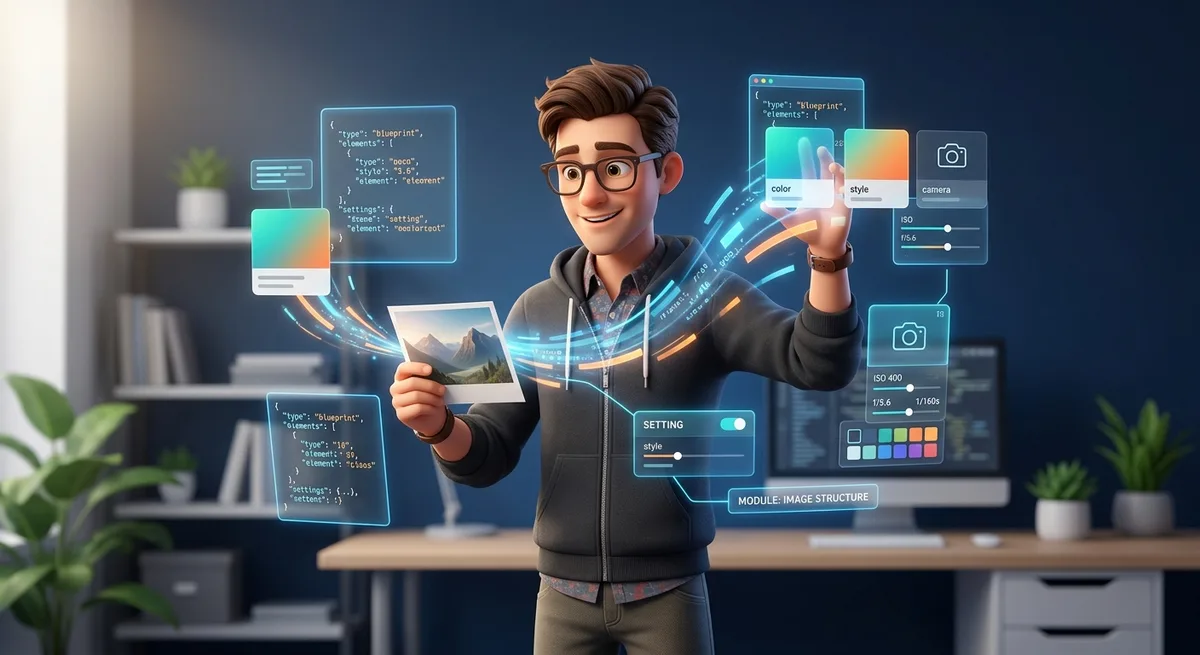
TL;DR: Turn any image into a reusable technical specification. Use AI to extract structured JSON prompts and build a style library you can version, iterate on, and monetize. Stop wasting time manually refining prompts.
You’ve been there. You see an image you love. The lighting. The colors. The vibe.
Now you want to recreate it with AI.
You write a prompt. Spend 20 minutes tweaking it. Hit generate.
The result? Not even close.
You try again. Still wrong. Adjust. Refine. Try once more. Still off.
The problem isn’t you. It’s the method.
You’re describing instead of extracting.
Visual reverse engineering is the process of using AI to analyze any image and generate a precise technical specification. This isn’t a hack. It’s what professionals do to ensure consistency.
The output isn’t a vague prompt. It’s a structured JSON with everything you need to recreate the aesthetic:
- Composition and framing
- Lens type and camera angle
- Lighting (direction, softness, shadows)
- Mood and atmosphere
- Complete color grading (dominant colors, temperature, contrast)
- Technical parameters
This transforms a visual reference into a reusable asset.
What You Actually Get
- Precise aesthetic recreation without guessing
- Visual consistency for branding and products
- Style library versioned like code
- Speed in asset production
Copy and paste this into ChatGPT or Claude along with any image:
You are an expert visual analyst and AI prompt engineer.
Analyze the image and produce an execution-ready JSON prompt capable of recreating it with the same aesthetic.

Infer and describe:

- Composition, framing, subject placement
- Camera angle, lens, and depth of field
- Lighting type, direction, softness, and shadows
- Environment, textures, mood, atmosphere
- Sharpness, grain, and dynamic range

Include color grading details:

- Dominant colors (HEX + RGB)
- Highlight, midtone, shadow tones
- Contrast, saturation
- Color temperature and tint bias
- Cinematic/film look

Output Rules:

- Output JSON only (no explanations).
- Must be directly usable in an AI image model.
- Include: prompt, negative_prompt, style_notes, technical_parameters.
- Ensure the prompt is cohesive and highly descriptive, matching the original image closely.
The 5-Step Workflow
Step 1: Pick Your Reference
Portrait, landscape, product shot. Any image you want to replicate.
Step 2: Open Claude or ChatGPT
Both can analyze images. Upload directly to chat.
Step 3: Paste the Prompt
In the same message as the image.
Step 4: Copy the JSON
The output looks like this:
{
  "prompt": "Ultra-photorealistic alpine landscape viewed from a slightly elevated hillside perspective. In the foreground, a dense meadow of white daisies...",
  "negative_prompt": "people, animals, cars, boats, modern buildings, city elements...",
  "style_notes": {
    "composition": "foreground floral meadow occupying lower third, diagonal leading line...",
    "camera_angle": "slightly elevated hillside viewpoint...",
    "lighting": {
      "type": "natural golden hour sunlight",
      "direction": "light entering from upper left",
      "softness": "soft directional light with gentle highlights"
    },
    "color_grading": {
      "dominant_colors": [
        { "hex": "#2F7D4F", "rgb": "47,125,79", "description": "alpine meadow green" },
        { "hex": "#4EA3C8", "rgb": "78,163,200", "description": "turquoise lake water" }
      ],
      "color_temperature": "warm daylight ~5600K"
    }
  },
  "technical_parameters": {
    "aspect_ratio": "3:4",
    "resolution": "1024x1365",
    "render_style": "photorealistic landscape photography"
  }
}
Step 5: Paste Into Your Image Generator
The generated image will match the original reference’s aesthetic.
To understand how to use this JSON in more complex workflows, like ComfyUI for monetizing AI image generation, the format is compatible with most image generation tools.
From Prompt to System: Building a Style Library
The real value isn’t in the single prompt. It’s in the reusable library.
How to Organize
/styles
  /product-x
    lifestyle-casual.json
    lifestyle-premium.json
    product-detail.json
  /brand-y
    dark-mode.json
    light-mode.json
    seasonal.json
Each JSON is an asset. You don’t recreate. You retrieve.
Version Control Like Code
Treat your styles like code:
- Use git for versioning
- Document aesthetic changes
- Maintain a changelog
When a client asks for “that style from the last project,” you pull the JSON. Zero rework.
From Side Project to Business: 4 Monetization Paths
1. Sell Aesthetic Packs
Create ready-made themed collections:
- “Minimalist SaaS Aesthetic”
- “Premium Infoproduct Visuals”
- “E-commerce Lifestyle”
Each pack = 10-20 JSONs + usage documentation.
If you want to know where to sell these packs, check out our guide comparing platforms for monetizing digital assets.
2. AI Art Direction Service
Offer as a structured service:
- Existing brand analysis
- Visual aesthetic extraction
- Style library creation
- Team documentation
You deliver a system, not just work.
3. Asset Generation for Clients
For micro-SaaS or services:
- Consistent product images
- Banner variations at scale
- Campaign assets
Deliverable results, not billable hours.
4. Visual Generation Micro-SaaS
Build a tool that:
- Receives reference image
- Extracts JSON automatically
- Allows parameter adjustment
- Generates at scale
Users pay per generation credits.
Advanced Level: Pipelines and Automation
API Integration
const extractStyle = async (imageUrl) => {
  const response = await fetch('https://api.model.com/vision', {
    method: 'POST',
    body: JSON.stringify({ image: imageUrl, prompt: EXTRACTION_PROMPT })
  });
  return response.json();
};

const generateVariations = async (styleJson, count) => {
  const variations = [];
  for (let i = 0; i < count; i++) {
    variations.push(await imageGen.generate(styleJson));
  }
  return variations;
};
n8n Workflow
To automate the entire pipeline, you can use n8n automation for solopreneurs as a foundation:
- Webhook receives reference image
- Sends to AI with extraction prompt
- Extracts JSON and saves to database
- Triggers image generator with parameters
- Saves final result
Automate the complete flow.
Scale Generation
For products that need many images:
- Create base template in JSON
- Vary parameters (light, angle, color)
- Generate 100+ batch variations
- Select the best ones
Why This Is Competitive Advantage
Most builders still:
- Write prompts from scratch every time
- Lack visual consistency
- Waste time refining
- Don’t reuse work
With image reverse engineering:
- You extract, not invent
- You standardize, not improvise
- You scale, not repeat
- You monetize, not just use
You transform aesthetic into system.
And systems are what separate builders who save time from those who waste it.
FAQ
Do I need a paid ChatGPT or Claude account to analyze images?
No. Both ChatGPT (free version) and Claude (free version) can analyze images. The difference is usage limits and output quality.
Does it work with any type of image?
It works best with real photos. AI-generated images may create reference loops. For best results, use reference photos from stock libraries like Unsplash or your own captures.
Can I use the JSON across different AI models?
Yes. The JSON contains universal specifications (composition, light, color). You can adapt the “prompt” field for each model’s specific syntax (Midjourney, DALL-E, Stable Diffusion, etc.).
How do I version my style library?
Use git like you would with code. Each style is a JSON. Commits with descriptive messages. Branches for variations. It’s the same workflow you already know.
The complete process takes under 2 minutes. The extraction itself is seconds. Refinement time depends on how many iterations you need for the perfect result.
Want to test it now? Pick any image you admire, paste the prompt above, and transform it into a reusable system.