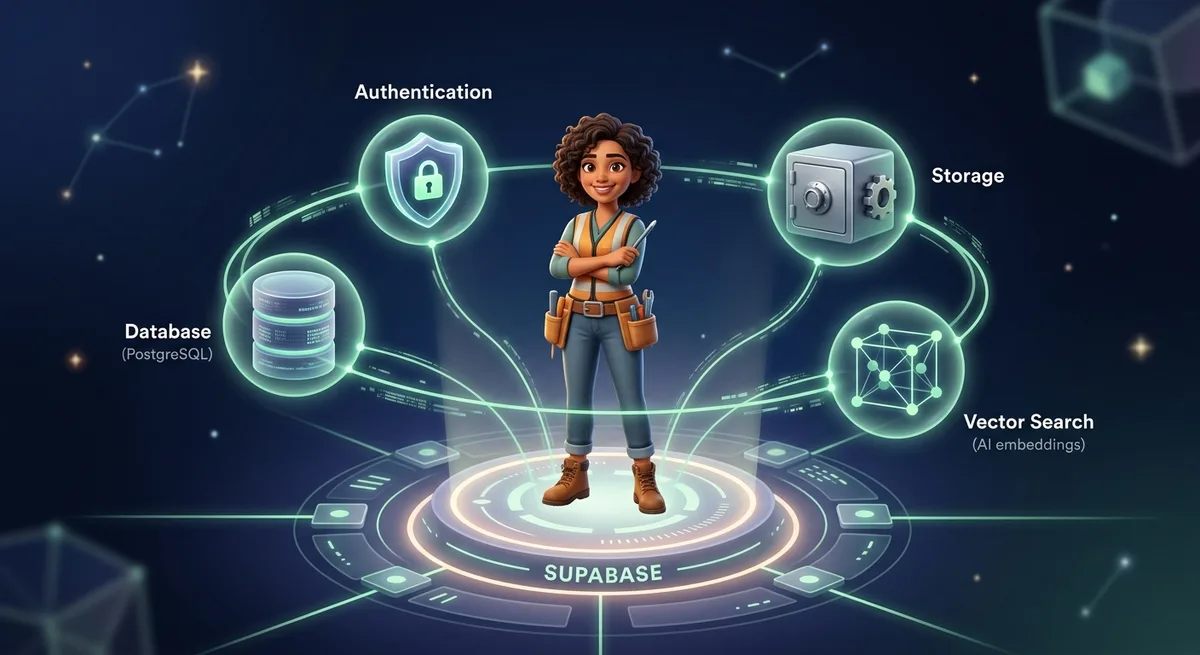
Vector search with pgvector
pgvector is a PostgreSQL extension that lets you store and query embeddings directly in your database. Instead of maintaining a separate vector database (Pinecone, Weaviate, Qdrant), your existing database handles semantic search. That’s one less service, one less cost, one less moving part.
Setup
Enable the extension in Database > Extensions, then create your table:
create extension if not exists vector;

create table documents (
  id bigint primary key generated always as identity,
  user_id uuid references auth.users not null,
  content text not null,
  embedding vector(1536),
  metadata jsonb,
  created_at timestamptz default now()
);

-- lists = sqrt(number of documents) is a good starting heuristic
-- Up to 10k docs: lists = 100. Up to 100k docs: lists = 300
create index on documents using ivfflat (embedding vector_cosine_ops)
  with (lists = 100);
Inserting embeddings
import { createClient } from '@supabase/supabase-js'
import OpenAI from 'openai'

const supabase = createClient(process.env.SUPABASE_URL!, process.env.SUPABASE_ANON_KEY!)
const openai = new OpenAI()

async function insertChunk(content: string, metadata: object) {
  const { data } = await openai.embeddings.create({
    model: 'text-embedding-3-small',
    input: content,
  })

  await supabase.from('documents').insert({
    content,
    embedding: data[0].embedding,
    metadata,
  })
}
Similarity search
Create a SQL function in Supabase:
create or replace function match_documents(
  query_embedding vector(1536),
  match_threshold float,
  match_count int,
  p_user_id uuid default null  -- filter by user when provided
)
returns table(id bigint, content text, similarity float)
language sql stable
as $$
  select id, content,
    1 - (embedding <=> query_embedding) as similarity
  from documents
  where 1 - (embedding <=> query_embedding) > match_threshold
    and (p_user_id is null or user_id = p_user_id)
  order by similarity desc
  limit match_count;
$$;
Call it from TypeScript:
async function search(query: string, limit = 5) {
  const { data } = await openai.embeddings.create({
    model: 'text-embedding-3-small',
    input: query,
  })

  const { data: results } = await supabase.rpc('match_documents', {
    query_embedding: data[0].embedding,
    match_threshold: 0.78,
    match_count: limit,
  })

  return results
}
Auth in five minutes
Supabase Auth handles the entire authentication flow — token issuance, refresh, session management — so you don’t have to:
// Sign up
const { data, error } = await supabase.auth.signUp({
  email: 'user@example.com',
  password: 'strong-password'
})

// Sign in
const { data, error } = await supabase.auth.signInWithPassword({
  email: 'user@example.com',
  password: 'strong-password'
})

// OAuth in one line
await supabase.auth.signInWithOAuth({ provider: 'google' })

// Get current session
const { data: { user } } = await supabase.auth.getUser()
Row Level Security: per-user data isolation at the database level
RLS enforces that each user can only access their own rows — not in application code, but in the database itself:
alter table documents enable row level security;

create policy "select_own"
  on documents for select
  using (auth.uid() = user_id);

create policy "insert_own"
  on documents for insert
  with check (auth.uid() = user_id);
Once RLS is active, you stop filtering by user_id in your queries — the database does it automatically based on the JWT in the request. This eliminates an entire class of data leakage bugs in multi-tenant products.
Edge Functions for server-side logic
Edge Functions are TypeScript/Deno serverless functions deployed globally on Supabase’s infrastructure. Use them for:
- Payment webhooks (Stripe, Paddle)
- Post-upload processing (PDF parsing, audio transcription)
- Proxy routes to external APIs (keeps API keys server-side)
- Scheduled background tasks
Example — auto-process a PDF after upload and generate embeddings:
// supabase/functions/process-pdf/index.ts
import { serve } from 'https://deno.land/std@0.168.0/http/server.ts'
import { createClient } from 'https://esm.sh/@supabase/supabase-js@2'

serve(async (req) => {
  const { file_path, user_id } = await req.json()

  const supabase = createClient(
    Deno.env.get('SUPABASE_URL')!,
    Deno.env.get('SUPABASE_SERVICE_ROLE_KEY')!
  )

  const { data: fileData } = await supabase.storage
    .from('uploads')
    .download(file_path)

  // Extract text from PDF — use pdf-parse (npm install pdf-parse)
  // import pdfParse from 'pdf-parse'
  // const parsed = await pdfParse(Buffer.from(await fileData.arrayBuffer()))
  // const text = parsed.text
  const text = await extractText(fileData) // replace with pdf-parse implementation

  // Split into ~500-token chunks (approx. 2000 characters)
  const chunks = splitIntoChunks(text, 2000)

  for (const chunk of chunks) {
    await insertChunk(chunk, { user_id, file_path })
  }

  return new Response(JSON.stringify({ status: 'ok', chunks: chunks.length }))
})
Deploy:
supabase functions deploy process-pdf
Putting it all together: the complete flow
Here’s what the full RAG product looks like end-to-end — every component connected, from file upload to LLM answer.
User uploads PDF
  → supabase.storage.upload()
  → Storage webhook triggers Edge Function "process-pdf"
  → Edge Function: downloads file, extracts text, splits into chunks
  → For each chunk: generates embedding via OpenAI
  → Inserts chunk + embedding into documents table

User asks a question
  → Frontend calls Edge Function "ask"
  → Edge Function: generates embedding for the question
  → Calls match_documents() — returns top 5 most similar chunks
  → Builds prompt: system instruction + chunks as context + question
  → Calls OpenAI chat completion
  → Returns answer to frontend
Complete “ask” Edge Function
// supabase/functions/ask/index.ts
import { serve } from 'https://deno.land/std@0.168.0/http/server.ts'
import { createClient } from 'https://esm.sh/@supabase/supabase-js@2'
import OpenAI from 'https://esm.sh/openai@4'

serve(async (req) => {
  const { question, user_id } = await req.json()

  const supabase = createClient(
    Deno.env.get('SUPABASE_URL')!,
    Deno.env.get('SUPABASE_SERVICE_ROLE_KEY')!
  )
  const openai = new OpenAI({ apiKey: Deno.env.get('OPENAI_API_KEY') })

  // 1. Embed the question
  const { data: embedData } = await openai.embeddings.create({
    model: 'text-embedding-3-small',
    input: question,
  })

  // 2. Find relevant chunks scoped to this user (prevents data leakage)
  const { data: chunks } = await supabase.rpc('match_documents', {
    query_embedding: embedData[0].embedding,
    match_threshold: 0.75,
    match_count: 5,
    p_user_id: user_id,
  })

  if (!chunks || chunks.length === 0) {
    return new Response(JSON.stringify({
      answer: "I couldn't find relevant information in your documents."
    }))
  }

  // 3. Build context from chunks
  const context = chunks.map((c: { content: string }) => c.content).join('\n\n')

  // 4. Call LLM with context
  const completion = await openai.chat.completions.create({
    model: 'gpt-4o-mini',
    messages: [
      {
        role: 'system',
        content: `You are an assistant that answers questions based on the provided documents.
Only use the information below. If the answer is not in the documents, say so clearly.

DOCUMENTS:
${context}`
      },
      { role: 'user', content: question }
    ],
  })

  return new Response(
    JSON.stringify({ answer: completion.choices[0].message.content }),
    { headers: { 'Content-Type': 'application/json' } }
  )
})
Calling from Next.js frontend
// app/api/ask/route.ts
export async function POST(req: Request) {
  const { question } = await req.json()
  const { data: { user } } = await supabase.auth.getUser()

  const { data } = await supabase.functions.invoke('ask', {
    body: { question, user_id: user?.id }
  })

  return Response.json(data)
}
Three Edge Functions (process-pdf, ask, and the storage webhook) give you the core of a working RAG product. The frontend only needs two elements: an upload button and a question input.
Real cost comparison
The honest way to evaluate Supabase is to price out the equivalent stack assembled from separate services:
| Service | Purpose | Monthly cost |
|---|
| AWS RDS t3.micro | PostgreSQL | ~$15 |
| Pinecone Starter | Vector DB | ~$70 |
| Auth0 Essentials | Authentication | ~$23 |
| AWS S3 + CloudFront | File storage | ~$5 |
| Total (separate) | | ~$113/month |
With Supabase free tier: $0 — until you need production guarantees.
With Supabase Pro: $25/month — when you need uptime, backups, and no inactivity pauses.
The financial difference is significant at early stage. But the larger cost is integration time: every separate service has its own SDK, its own authentication model, its own error patterns, its own billing. Supabase eliminates the operational overhead of wiring and maintaining four independent platforms.
For the remaining stack, free tiers cover the gap:
Free tier limits you should know about
The free tier is generous, but a few behaviors will catch you off guard if you don’t know them:
1. Inactive projects are paused after 7 days.
No traffic for a week and the project hibernates. The first request after that wakes it up — with ~5 seconds of latency. For a product with real users, this never happens. For an MVP without traffic yet, set up a periodic ping via cron or move to Pro when you launch.
2. Edge Functions have cold starts.
Functions not called recently take 1–3 seconds on the first invocation. For Stripe payment webhooks, that can cause timeout errors. Keep warm with periodic calls, or use dedicated instances on Pro for latency-sensitive functions.
3. Free tier caps at 60 simultaneous connections.
More than enough for an MVP. For a product with traffic spikes, monitor this. Pro goes to 200+.
4. No automatic backups on the free tier.
There’s no point-in-time recovery on free. Run manual pg_dump exports regularly if your data is critical.
The Pro plan ($25/month) removes all of these constraints. The right time to upgrade is when you have paying customers — not before.
Monetization models that work with this stack
Subscription SaaS
A login-gated product with core AI functionality. Niche document analysis, internal knowledge base chatbot, AI-assisted workflow for a specific job role.
Typical pricing: $29–149/month per user. At 30 paying customers at $49/month = $1,470 MRR. At 100 = $4,900 MRR.
API product
Build the data pipeline (collect → process → store) and sell API access by request volume or data tier. Supabase handles the backend and data store.
Pricing: per-request or tiered by monthly volume.
A focused product for a specific industry — real estate, healthcare, legal, accounting. Less competition than generic tools, higher willingness to pay, simpler feature requirements.
Typical pricing: $199–999/month per organization.
Starter kit
Package your working product as a clean template to sell for other builders who want the same starting point without the setup work.
Pricing: $79–299 one-time, zero marginal support cost.
Getting started today (30 minutes)
- Create a free account at supabase.com
- Create a new project — grab credentials from Settings > API
- Enable the
vector extension under Database > Extensions - Install the SDK:
npm install @supabase/supabase-js - Set env vars:
SUPABASE_URL and SUPABASE_ANON_KEY - Create your first table, enable RLS, write your first policy
Thirty minutes from zero to a working database with auth, storage, and vector search. Supabase isn’t the most specialized tool for any single component. But for a solo builder who needs to move fast without managing four separate infrastructure platforms before writing product logic, it’s the best cost-to-speed ratio available until you have revenue that justifies specializing.
FAQ
Is the free tier actually free forever?
No expiration, but inactive projects are paused after 7 days without activity. For a live product with consistent traffic, the Pro plan ($25/month) removes that limitation and adds automated backups.
Can I use Supabase without TypeScript?
Yes. Official SDKs for Python, Flutter, Swift, Kotlin, and C#. Plus a REST API and GraphQL endpoint that work with any language or tool.
Supabase vs Firebase?
Firebase is simpler to start but uses a NoSQL store with limited query capabilities. Supabase uses real PostgreSQL — joins, views, functions, pgvector. If your product has relational data or needs semantic search, Supabase is the better choice.
Does pgvector scale to production?
For most solo builder products, yes. Handles millions of vectors with acceptable latency. Above that threshold, or for sub-10ms latency requirements, dedicated vector databases make sense. For validation and early scale? pgvector is more than sufficient.
Can I migrate off Supabase later?
Yes. Standard PostgreSQL — no proprietary format. pg_dump and restore to any PostgreSQL host (AWS RDS, Neon, Google Cloud SQL). No vendor lock-in on data format.
Does RLS add noticeable query overhead?
Minimal. Policy evaluation adds microseconds. For solo builder product volumes, it’s imperceptible. The security guarantees and elimination of data isolation bugs are well worth it.